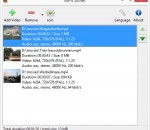
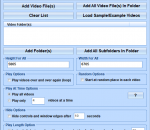
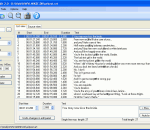
MP4Joiner is a useful application that was designed in order to provide you with a simple means of merging several video files in no time. All you have to do is load the MP4 movie clips and then choose the output location to have the new video generated automatically.
CATraxx CD Player is a compact application that can help you play CD tracks and edit the lyrics of certain songs. The program is designed to work with the CATraxx application but it is not included in the package.
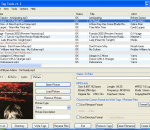
Free ID3 Tag Editing tool for Windows programmed entirely in Visual C++6 & MFC. Mp3 Tag Tools was designed as an intutive ID3v1 & v2.x, lyrics, picture tag editor, mp3 organizer. This is an excelent application if you want to customize your mp3 collection with your own information.
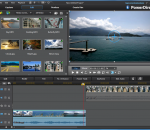
PowerDirector 12 provides the most comprehensive tools for high-quality video productions - all with easy-to-use features and fastest 64-bit video editing. PowerDirector's Design Studio tools give your more freedom to design and control the PiP, Title, Particle effects in your video projects.
DVDFab DVD Cinavia Removal is the first near-lossless DVD Cinavia removal solution to remove Cinavia watermarks from affected DVDs. The backup discs are completely Cinavia-free and won’t be interrupted in the middle of playback by any Cinavia error message on any Cinavia enabled DVD playback devices, such as the PS4 and certain home DVD players from some manufacturers.
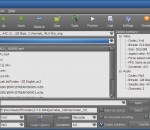
THandBrake (formerly Smallx264) is a simple application that you can use to batch encode videos using the Handbrake encoder engine. The software provides support for the common video formats and high conversion speed. Deinterlacing, denoising, deblocking and grayscale options are available.
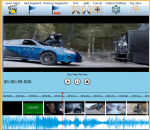
Video Split N Trim is perfect to cut, trim, split video into 2 segments or more, join 2 or more files into 1. Supports MP4 and all popular formats. The program comes with all tools of a basic video editor.
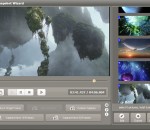
Video Snapshot Wizard is an easy-to-use utility that allows to capture a still from a movie. The software provides support for the most popular video format such as AVI, FLV, ASF, MOV, RM, RMVB, WMV, MKV, VOB, MPG, MPEG etc.Video Snapshot Wizard can also edit frame image, output as BMP, JPG, GIF graphics, and can even rebuild the frames to create animated GIF image or movie thumbnails.
On the Help TAB of the Settings Application is a button to allow you to choose Windows Media Player Filetype Associations. Once you have used this button, you can Enqueue newly associated files to the Windows Media Player Playlist as depicted below.
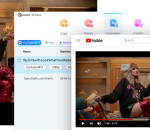
This software offers a solution to users who want to play many videos files on the computer screen at once. Simply drag and drop video files and press the 'Start' button. Each video will have its own window and will be stacked in rows and columns next to each other. Windows Media Player only allows you to only watch one video at a time, but with this software you will be able to watch several videos all at once.
Subtitle Edit is a free utility for editing movie subtitles. It allows synchronization with the video, time display adjustment, renumbering. Subtitles can be merged or split on a specific interval of time. SE can convert between different types of subtitle formats like SubRib, MicroDVD, Substation Alpha, SAMI. Common errors can be fixed with a wizard-like feature.
GOM 미디어 플레이어 유일한 미디어 플레이어 해야-무료! 뿐만 아니라 GOM 미디어 플레이어 완전히 무료 비디오 플레이어, 모든 가장 인기 있는 비디오 및 미디어 플레이어 형식, 고급 기능, 극단적인 customizability의 톤에 대 한 내장 지원 이며 코덱 찾기 서비스, GOM 미디어 플레이어는 당신의 재생 필요 전부를 충족 해야. 국가의 수백에 사용자의 수백만으로, GOM 미디어 플레이어는 세계에서 가장 인기 있는 비디오 플레이어 중 하나입니다. 뭐죠 새: 터치 스크린 장치를 위한 추가 터치 "설정" 기능. 재생 목록에 "검색 상자" 기능을 추가 했습니다. (Ctrl + F) Youtube 또는 인터넷 라디오 재생을 위한 "HTTPS URL"을 지원합니다. (Ctrl + U) 음악 파일 재생에 관련 된 환경 설정에 "음악 탭"을 추가 했습니다. "속도 추가 및 삭제" 파일의 재생 목록에 관련 하는 향상 된 성능. 다른 기타 수정, 수정, 및 변경
RealPlayer는 항상 리얼 오디오를 재생할 수 있습니다을 사용 하도록 설정 (* 나라)와 리얼미디어 (*.ram) 파일. 그냥 하나의 웹 사이트의 수천에서 동영상 다운로드 클릭 빌드 자신의 비디오 라이브러리와 재생 목록 재생 모든 주요 오디오 및 비디오 포맷 비디오 플래시 지원 DVD, SVCD, VCD 레코딩 및 오디오 CD 레코딩 기능, DVR 스타일 재생 버퍼링, 멀티미디어 검색, 인터넷 라디오, 쥬크박스 스타일 파일 라이브러리는 내장된 웹 브라우저 (Microsoft Internet Explorer를 사용 하 여)를 포함 하는 개인적인 사용을 위한 리얼 플레이어를 기록 하는 비디오그리고 애플의 아이팟, MP3 플레이어와 Windows Media 장치를 포함 하 여 휴대용 장치에 미디어를 전송 하는 기능.
고옴이 인기 있는 오디오 & 비디오 코덱 내장으로 무료 미디어 플레이어 이다. 코덱 찾기 GOM 플레이어 포함 많은 코덱 (XviD, DivX, FLV1, 상태인 AC3, OGG, m p 4, H263 등) 그래서 대부분의 비디오에 대 한 별도 코덱을 설치 하지 않아도. 별도 코덱이 필요로 하는 그 동영상에 대 한 GOM 플레이어 하나를 발견할 것 이다. 깨진 AVI 파일 (특허) GOM 플레이어의 특허 기술 수 있습니다 깨진 인덱스 파일을 보려면 사용자가 나는 여전히 다운로드 되 고. 강력한 자막 지원 GOM 플레이어 지원 합니다 SMI, SRT, RT, SUB (IDX)와 자막에 대 한 파일. 동기화 할 수 있습니다 심지어 자막 및 비디오 어떤 불일치 경우. 편리한 재생 목록 경우 비디오 파일을 실행 하 고 이미 디렉토리에 비슷한 이름 가진 파일은, 재생 목록에 자동으로 추가 됩니다. GOM 플레이어는 M3U, PLS, ASX 비슷한 재생 목록 형식. 지원 다른 미디어 종류와 함께 AVI, MPG, MPEG, DAT, GOM 플레이어 등 다른 미디어 포맷도 스트리밍 윈도우 미디어 포맷을 (WMV, ASF, ASX)을 지원합니다. 또한 5.1 채널 오디오 출력 DVD 품질의 비디오를 볼 수 있습니다.